By the MiamiPermitAI team · July 5, 2026 · Updated September 30, 2026
Permit Readiness Check Before Submission: Miami-Dade Guide

A permit readiness check before submission is the process of verifying that every document, signature, stamp, and compliance requirement is in place before your building permit application reaches the Miami-Dade intake desk. Skip this step and you risk rejection on day one, not because your plans are wrong, but because a cover sheet is missing or a fee went unpaid. AI-driven readiness checks reduce permit decision time by 55%, cutting average wait times from 73 days down to about 32.5 days. That is not a minor efficiency gain. It is the difference between a project that starts on schedule and one that sits in limbo for weeks. Miamipermitai was built specifically for this problem, grounding every review in Miami 21 zoning, FEMA flood zone data, and Florida DBPR contractor license verification.
What documents must you verify before submitting a Miami-Dade permit?
The intake desk at Miami-Dade Building Department does not perform a full code compliance review on day one. It runs an administrative audit. Your application either has everything on the checklist or it gets sent back. A structured permit readiness check covers cover sheets, fee payments, required stamps, deferred submittals, and document matching indexes. Missing any one of these triggers an immediate rejection, regardless of how accurate your construction plans are.
Required documents for most permit types
- Cover sheet: Project address, folio number, scope of work, and contractor license number
- Sealed construction plans: Signed and sealed by a Florida-licensed architect or engineer where required
- Site plan: Shows setbacks, lot coverage, and property boundaries per Miami 21 zoning
- Fee payment: Calculated and paid before submission; unpaid fees are a top rejection cause
- Contractor license verification: Florida DBPR license number must be active and match the application
- Deferred submittal log: Any items submitted after initial approval must be declared upfront
- Document index: Every sheet listed in the index must physically appear in the package
Miami-Dade specific requirements
Miami-Dade adds layers that other counties do not. Miami 21 zoning controls setbacks, height, and use by transect zone, and your plans must reflect the correct transect for your folio. FEMA flood zone designations affect foundation requirements and elevation certificates. Properties in Special Flood Hazard Areas require a FEMA Elevation Certificate before the permit moves forward. The homeowner permit application process in Miami-Dade also requires owner-builder affidavits for certain project types. Getting these county-specific details right is where most applicants stumble.
| Document category | What to verify |
|---|---|
| Cover sheet | Address, folio, scope, license number all match |
| Construction plans | Sealed, signed, and current revision noted |
| Site plan | Setbacks correct per Miami 21 transect zone |
| Fees | Calculated and paid; receipt attached |
| Flood zone docs | Elevation certificate if in SFHA |
| Contractor license | Active DBPR status confirmed |
How do you perform a thorough permit readiness check step by step?
A submission readiness assessment works best when you treat it as three separate passes: administrative, technical, and compliance. Running all three in sequence catches different categories of errors and prevents the most common rejection patterns.
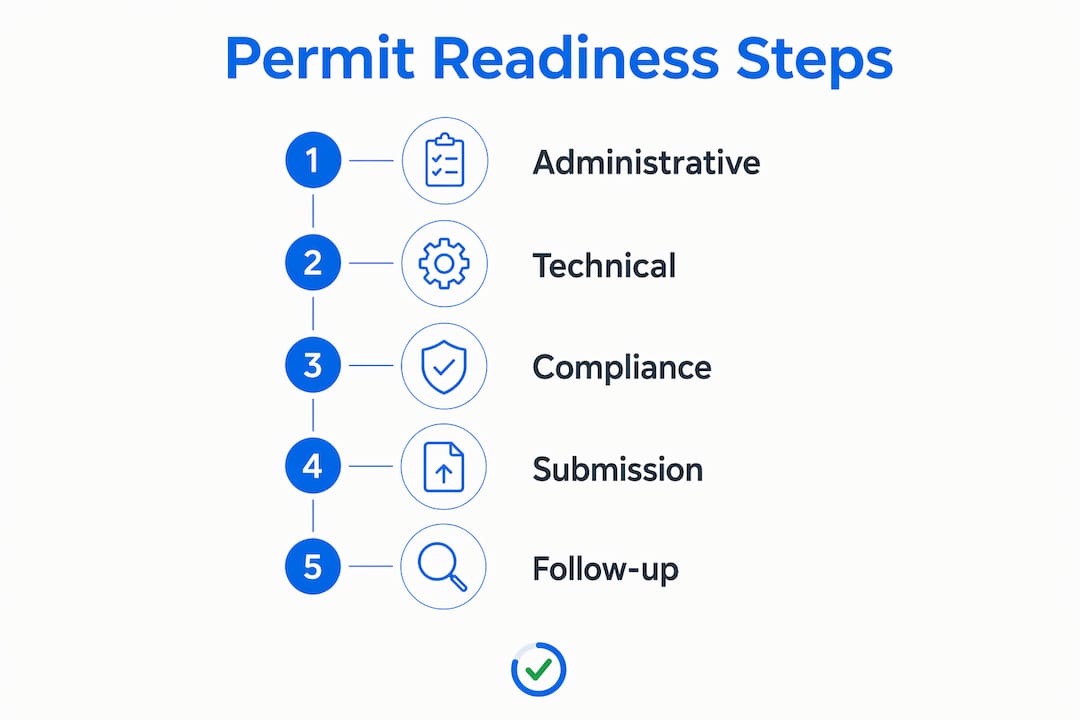
Step 1: Administrative pass
Check every document against the county’s required document list for your specific permit type. Roofing permits, electrical permits, and addition permits each carry different requirements. Confirm the cover sheet is complete, the fee calculation matches the scope, and every sheet in the plans package appears in the document index. Mismatched indexes are a top cause of intake rejection and one of the easiest problems to fix before you submit.
Step 2: Technical pass
Review the construction plans for internal consistency. Dimensions on the floor plan must match the site plan. Structural notes must reference the correct Florida Building Code edition. Electrical load calculations must align with the panel schedule. A single inconsistency between sheets can trigger a correction request that adds weeks to your timeline.

Step 3: Compliance pass
Cross-reference your plans against Miami 21 zoning for your specific transect zone, verify FEMA flood zone requirements for your folio address, and confirm your contractor’s Florida DBPR license is active. Automated pre-submission screening achieves 92% accuracy on compliance checks and 87% on completeness checks. That level of accuracy is difficult to match manually, especially on complex packages.
- Pull the Miami-Dade permit checklist for your specific project type
- Complete the administrative pass and resolve every flagged item
- Run the technical pass across all plan sheets for internal consistency
- Complete the compliance pass against Miami 21, FEMA, and DBPR records
- Upload your full package to Miamipermitai for an AI-driven review and readiness score
- Fix every flagged issue before submitting to the county
Pro Tip: Start your compliance check before filing at least two to three weeks before your target submission date. Starting readiness checks several weeks early gives you time to request updated contractor license certificates, order elevation certificates, and revise plans without rushing.
What are the most common mistakes that cause permit rejection?
Most first-submittal rejections happen at intake due to administrative incompleteness, not technical errors. The plans could be perfectly engineered and still get rejected because the cover sheet is missing a folio number. Understanding where rejections actually originate changes how you prepare.
The most frequent rejection triggers
- Incomplete cover sheet: Missing folio number, incorrect project address, or blank scope of work field
- Missing or expired stamps: Plans sealed by a license that has lapsed since the seal date
- Unpaid or miscalculated fees: Fee tables in Miami-Dade are project-type specific; a wrong calculation stops the application cold
- Undeclared deferred submittals: Items like truss engineering or fire suppression shop drawings must be listed even if submitted later
- Unmatched document index: Sheets referenced in the index but not included in the package
- Inactive contractor license: A DBPR license that expired or was suspended after the application was prepared
A partial fix is not a fix. Incomplete pre-screening coverage does not reduce review cycles effectively. If you catch five of six errors and submit, the sixth error still sends the package back. Total coverage is the only standard that works.
The consequences of missing errors do not stop at rejection. Errors discovered after permit issuance require formal plan amendments governed by IBC Section 107.4. Those amendments cost money, require re-review, and can halt active construction while the county processes the change. A thorough permit documentation checklist before submission is far cheaper than a formal amendment mid-project. For a detailed breakdown of what triggers rejections in Miami-Dade specifically, the permit rejection guide for Miami-Dade covers the most common patterns by project type.
What tools and resources help you submit a compliant Miami-Dade permit?
The right tools separate applicants who pass intake on the first try from those who cycle through corrections for months. Three categories of resources matter most: AI-driven pre-submission screening, official county portals, and structured checklists.
AI-driven screening
Miamipermitai is built specifically for Miami-Dade. It reads your uploaded construction plans against Miami 21 zoning, FEMA flood zone data, and Florida DBPR records, then flags missing documents, plan inconsistencies, and the issues that most often cause rejections. Applicants receive a readiness score and a plain-language list of what to fix before they submit to the county. After submission, Miamipermitai tracks the permit through approval using public Miami-Dade records and sends email status updates. AI tools like Miamipermitai identify completeness and compliance errors before official submission, which directly speeds up approvals.
Pro Tip: Use Miamipermitai’s readiness score as your go/no-go threshold. If the score flags open issues, do not submit. One more day of preparation beats two more weeks of corrections.
Official county resources
Miami-Dade Building Department’s ePlan portal accepts electronic submissions for most permit types. The portal has its own file naming conventions and size limits. Submitting files that do not meet portal specifications adds another rejection layer before the intake desk even sees your documents. Review the portal’s upload requirements as part of your permit submission requirements checklist.
| Tool category | Primary function | Best for |
|---|---|---|
| AI pre-submission screening | Flags missing docs and plan inconsistencies | Contractors and investors with complex packages |
| County ePlan portal | Official electronic submission | All applicants |
| Structured paper checklist | Manual document verification | Simple residential permits |
| DBPR license lookup | Confirms contractor license status | All applicants with a licensed contractor |
For applicants managing multiple projects or revisions, the permit revision best practices guide covers how to handle correction cycles efficiently once you are already in the review process.
Key Takeaways
A permit readiness check before submission eliminates the most common rejection causes and cuts approval time significantly, provided the check covers every administrative, technical, and compliance requirement without exception.
| Point | Details |
|---|---|
| Start early | Begin your readiness check two to three weeks before your target submission date. |
| Cover all three passes | Run administrative, technical, and compliance reviews separately to catch different error types. |
| Total coverage matters | Partial fixes do not reduce review cycles; every flagged issue must be resolved before submission. |
| Use AI screening | Miamipermitai checks Miami 21 zoning, FEMA flood zones, and DBPR records automatically. |
| Post-approval errors cost more | Errors found after permit issuance require formal amendments that delay active construction. |
Why many applicants prepare for the wrong review
Many contractors and homeowners prepare for the technical review. They spend days perfecting structural calculations and load schedules, then submit a package that gets rejected at intake because the cover sheet has the wrong folio number. The intake desk does not care how good your engineering is. It cares whether the administrative checklist is complete.
The key insight for permit preparation is this: the intake review and the plan review are two entirely separate events. Passing intake is a purely administrative task. You either have the documents or you do not. That means a structured permit documentation checklist, run before you submit, eliminates an entire category of delay that has nothing to do with the quality of your plans.
Another common mistake is partial preparation. An applicant fixes the cover sheet, pays the fees, and submits without checking the document index. The index references Sheet A-3, which is missing from the package. Back to square one. Complete coverage is not optional. It is the only standard that actually works.
Starting the readiness process two to three weeks early sounds conservative until you realize that ordering an updated elevation certificate or getting a contractor to renew an expired DBPR license can take a week on its own. Build that time in. The applicants who submit clean packages on the first try are not luckier than everyone else. They started earlier and checked everything.
How Miamipermitai prepares your permit package for Miami-Dade
Submitting a clean permit package the first time is not about luck. It is about running the right checks before you hit submit.
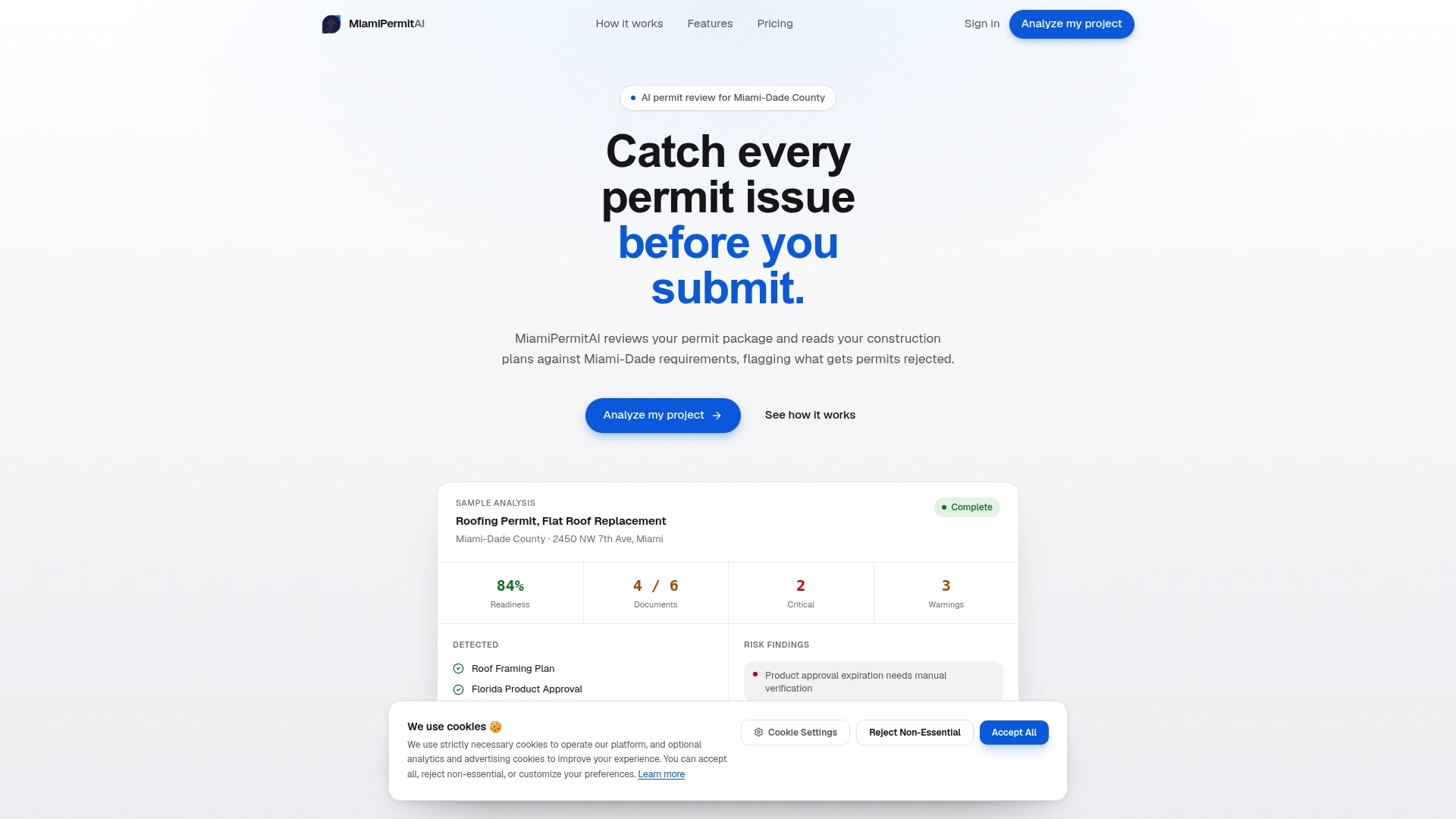
Miamipermitai reviews your full permit package against Miami-Dade’s actual requirements before you submit to the county. It checks Miami 21 zoning and setbacks for your folio, verifies FEMA flood zone requirements, confirms Florida DBPR contractor license status, and flags every document gap or plan inconsistency that would trigger a rejection or correction. You get a readiness score and a plain-language fix list. After you submit, Miamipermitai tracks your permit through approval and sends you email updates. Check your permit before submission and avoid the correction cycles that cost contractors and homeowners weeks of project time.
FAQ
What is a permit readiness check before submission?
A permit readiness check is a structured review of your building permit application that verifies all required documents, signatures, fees, and compliance criteria are complete before you submit to the county. It is designed to catch the administrative and technical errors that cause intake rejections.
How long does a permit readiness check take?
A manual check on a straightforward residential permit typically takes a few hours. AI-driven tools like Miamipermitai can screen a full package in minutes, flagging specific issues with plain-language guidance on what to fix.
What are the most common reasons Miami-Dade permits get rejected at intake?
The most common rejection causes are incomplete cover sheets, missing or expired plan seals, unpaid or miscalculated fees, undeclared deferred submittals, and contractor license numbers that do not match active Florida DBPR records.
Does fixing some errors before submission reduce delays?
Partial fixes do not reduce review cycles effectively. Incomplete pre-screening coverage leaves remaining errors that still trigger rejection. Every flagged issue must be resolved before submission for the readiness check to have its full effect.
When should I start a submission readiness assessment?
Start at least two to three weeks before your target submission date. That window gives you time to obtain updated documents, renew licenses, and revise plans without rushing a resubmission.
Recommended
Is your permit package ready?
Run an AI readiness check against Miami-Dade requirements before you submit.
Start your first projectThis article is general guidance and not legal, engineering, or official county advice. Always verify requirements with Miami-Dade County before submitting a permit.