By the MiamiPermitAI team · June 27, 2026 · Updated September 30, 2026
Why Permits Get Rejected in Miami-Dade: 2026 Guide
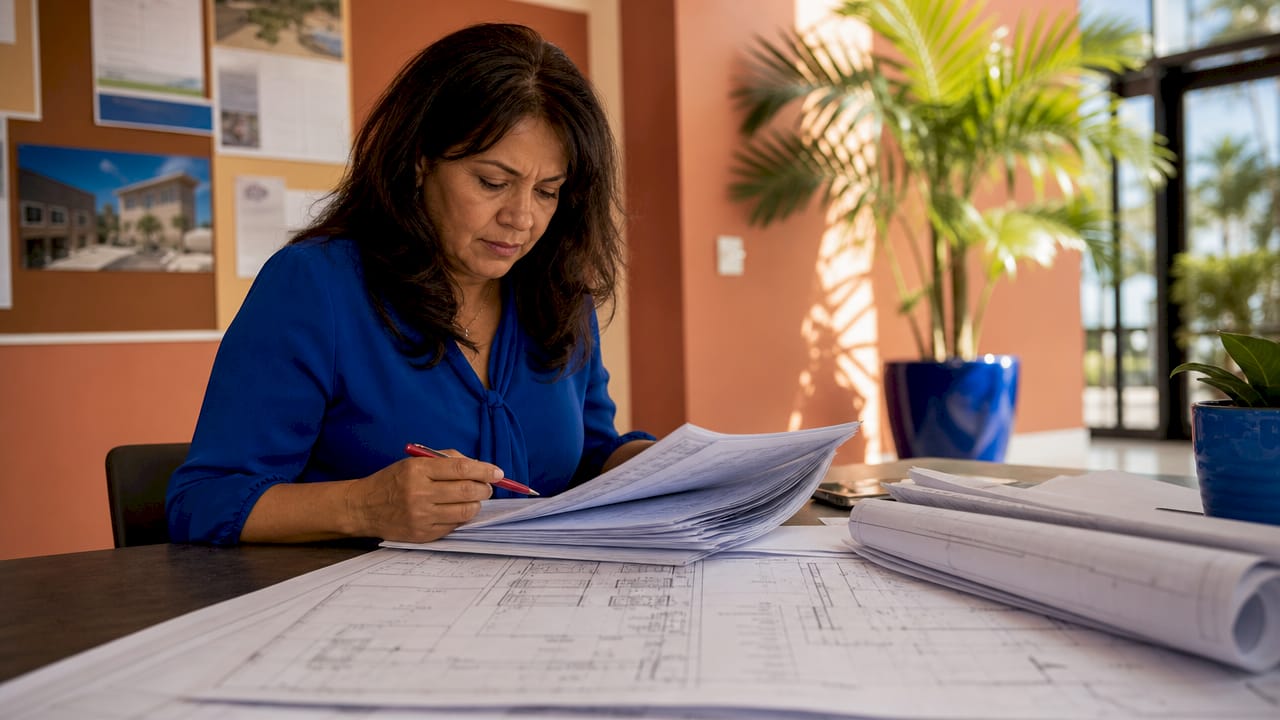
Permit rejection in Miami-Dade County is defined as the Miami-Dade Building Department’s refusal to approve a permit application due to missing documents, code violations, or procedural errors. Understanding why permits get rejected in Miami-Dade saves homeowners, contractors, and real estate investors significant time and money. The most common causes are preventable: incomplete application packages, non-compliance with local building codes like the High Velocity Hurricane Zone (HVHZ) standards, and submission mistakes on the ePermits portal. Catching these issues before you submit is the difference between a fast approval and weeks of costly back-and-forth.
Why do permits get rejected in Miami-Dade?
Incomplete or inaccurate application packages are the single most common cause of permit rejection in Miami-Dade County. That means missing signed and sealed plans, absent Notice of Acceptance (NOA) documentation, or erroneous site plans will stop your application before a reviewer even reads it. Miami-Dade’s requirements are stricter than most Florida counties because of its HVHZ designation, which mandates additional wind-load documentation for nearly every structural project. Rejections from documentation gaps alone can set a project back by weeks, since each correction cycle restarts the review clock.
The Miami-Dade Building Department processes thousands of applications each year across residential, commercial, and specialty permit categories. Each category carries its own document checklist, and reviewers check every item. A fence permit, for example, requires a site plan showing property lines, fence location, and height, plus compliance with Miami 21 zoning setbacks and local fence height rules. Missing any single element triggers a rejection notice.

What are the most common documentation errors causing permit rejection?
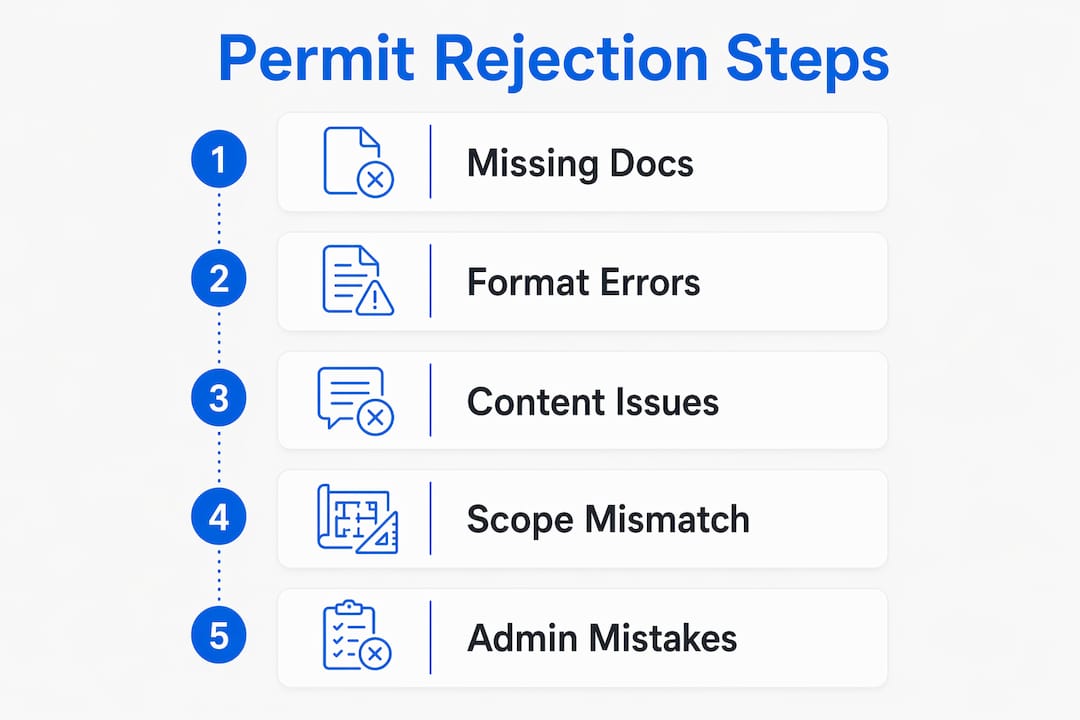
Documentation errors fall into three categories: missing documents, wrong formats, and incomplete content. Each one causes a rejection for a different reason, but all three share the same fix: a thorough review before you hit submit.
Missing documents are the most frequent offender. Common omissions include:
- Signed and sealed architectural or structural plans from a Florida-licensed professional
- NOA documentation for windows, doors, and roofing products used in HVHZ zones
- Energy calculations using REScheck (residential) or COMcheck (commercial)
- Notarized owner authorization letters when the applicant is not the property owner
- Structural and fire protection documentation for additions or renovations
Format errors are the second major category. The Miami-Dade ePermits portal requires PDF 1.7 format, sheet size 24x36 inches, and digitally signed plans from Florida-licensed professionals. Files saved in PDF 2.0 or submitted at 11x17 inches fail automated intake validation before a human reviewer ever sees them. That is an automatic rejection for a purely technical reason.
Content errors are the third category and the hardest to catch without expert eyes. Inconsistent title blocks, missing revision dates, or seal dates that do not match the submission date all trigger corrections. Incomplete energy calculations or structural notes that reference outdated code versions also cause rejections under Miami-Dade’s current standards.
Pro Tip: Before uploading, open your PDF in Adobe Acrobat and check the document properties. Confirm the format is PDF 1.7, the page size is 24x36, and the digital signature panel shows a valid certificate, not a scanned image.
How do building code and project scope mismatches lead to rejection?
Performing work outside the approved permit scope is a primary driver of failed inspections and stop-work orders in Miami-Dade. Inspectors compare installed materials and layouts directly against the approved plans on site. Any deviation triggers a requirement for revised drawings and new engineering approvals, which restarts the review process entirely.
Scope mismatches happen in several specific ways:
- Installing a different roofing product than the one listed in the NOA documentation
- Changing window or door sizes after permit approval without submitting revised plans
- Adding square footage or structural elements not shown on the approved drawings
- Selecting the wrong permit category, such as filing a renovation permit for what is legally a new addition
Miami 21 zoning compliance is a separate but equally critical layer. A fence that exceeds the allowed height for a residential zone, or a shed placed too close to a property line, will fail inspection regardless of how clean the paperwork is. HVHZ compliance requirements add another layer: all documentation must reflect current regulations, and inspectors verify this on site.
The consequences of scope mismatches compound quickly. Reinspection fees apply each time an inspector returns. Project delays push timelines out by weeks or months. In serious cases, the county issues a stop-work order, which halts all activity until the applicant resolves the discrepancy and obtains revised approvals. For real estate investors on tight closing timelines, a stop-work order can derail an entire deal.
Pro Tip: If you need to change materials or layouts mid-project, submit a revision to the permit before the work happens. Inspectors have no authority to approve undocumented changes on site, and asking them to overlook a deviation puts your entire permit at risk.
What procedural and administrative mistakes often result in Miami-Dade permit rejection?
Procedural errors are the most frustrating category because they have nothing to do with the quality of your construction plans. They are pure process failures, and they are entirely avoidable.
-
Rasterized digital signatures. Scanned wet seals on PDFs cause automatic rejections during ePermits intake. Miami-Dade requires vector-embedded digital certificates from Florida-licensed professionals. A scanned signature looks identical to a valid one on screen but fails the system’s validation check instantly.
-
Wrong permit category selection. Selecting the wrong permit type routes your application to the wrong review queue. Reviewers in that queue may reject it outright or send it back for reclassification, adding days or weeks to the timeline.
-
Expired contractor licenses. Inspectors verify the license of the performing contractor against active permit records before passing any inspection. A license that expired mid-project causes an automatic inspection failure and can trigger a stop-work order.
-
Mid-project contractor changes without formal transfer. Switching contractors without formally transferring the permit to the new license holder creates a licensing mismatch in the county’s records. The next inspection will fail, and the project halts until the transfer is complete.
-
Permit expiration from missed inspections. Permits expire if no inspection occurs within 180 days. Reactivating an expired permit often requires compliance with the latest codes, which may be stricter than the codes in effect when the original permit was issued. That means revised plans, additional fees, and a full re-review.
Each of these errors is a process failure, not a design failure. They are fixed with checklists and calendar reminders, not engineering revisions.
How to proactively avoid permit rejection in Miami-Dade
The most effective way to avoid permit rejection is to treat the application like a final exam: every item must be correct before you submit. A second person reviewing documents before submission is one of the highest-impact practices for reducing rejection risk. Fresh eyes catch errors that the original preparer misses every time.
Pre-application due diligence is the starting point. Searching for existing open or expired permits and unpermitted work on a property is critical before filing anything new. Ignoring this step often results in immediate denial or a mandatory resolution of past violations before the county will issue a new permit. For real estate investors acquiring properties with unknown permit histories, this check is non-negotiable.
The table below outlines the key preparation steps and what each one prevents:
| Preparation step | What it prevents |
|---|---|
| Search for open or expired permits on the folio | Automatic denial from unresolved prior violations |
| Verify Miami 21 zoning and setback requirements | Rejection for fence height, shed placement, or addition scope |
| Confirm contractor license is active with Florida DBPR | Inspection failure and stop-work orders |
| Use PDF 1.7 at 24x36 with vector digital signature | Automated intake rejection before human review |
| Have a second reviewer check all documents | Missed omissions in energy calcs, NOA docs, or title blocks |
| Schedule inspections before the 180-day window closes | Permit expiration and mandatory code upgrade compliance |
Coordinating multiple agency approvals simultaneously is necessary for many Miami-Dade projects. Additions, pools, and commercial renovations often require sign-off from the Water and Sewer Department, the Fire Marshal, and the Building Department at the same time. Missing one agency’s requirements delays all the others.
Pro Tip: Use the Miami-Dade folio number to pull the full permit history on a property before you apply. The county’s public records show every open, expired, and closed permit. Resolving any open items before you submit removes one of the most common automatic rejection triggers.
Key takeaways
Permit rejections in Miami-Dade are almost always preventable: missing documents, format errors, and procedural mistakes cause the vast majority of denials, and all three are fixable before submission.
| Point | Details |
|---|---|
| Documentation gaps top the list | Missing sealed plans, NOA docs, or energy calculations cause the most rejections. |
| Format errors trigger automatic rejection | PDF 1.7 at 24x36 with a vector digital signature is required; wrong formats never reach a human reviewer. |
| Scope mismatches fail inspections | Any deviation from approved plans requires revised drawings before work can continue. |
| Procedural errors are process failures | Expired licenses, wrong permit categories, and missed inspections are fixed with checklists, not redesigns. |
| Pre-application research is non-negotiable | Searching for open or expired permits before filing prevents automatic denial from prior violations. |
Why Miami-Dade permit applications fail
The most common pattern is not carelessness. It is overconfidence. Experienced contractors who have pulled dozens of permits in other Florida counties assume Miami-Dade works the same way. It does not. The HVHZ requirements, the ePermits technical specifications, and the Miami 21 zoning layer create a combination that catches even seasoned professionals off guard.
The second pattern is skipping the pre-application property search. Investors buying distressed properties or older homes in Miami-Dade frequently discover open permits or unpermitted work only after their new permit application gets denied. That discovery mid-project is expensive. Finding it before you close on the property or before you file is free.
The third point for anyone navigating this process: build a permit tracking habit. Miami-Dade’s public records are accessible, and checking permit status regularly takes minutes. Permits that expire because an inspection was missed are entirely avoidable with a simple calendar reminder. The 180-day window is not a secret. It is in the permit conditions. Missing it is a process failure, not a system failure.
Patience matters here too. Simple, accurate submissions can be approved in weeks. Multi-agency projects with incomplete documentation can take months. The difference is almost always the quality of the initial submission, not the complexity of the project.
How Miamipermitai helps you submit with confidence
Permit rejections cost time, money, and momentum. Miamipermitai is an AI permit-readiness platform built specifically for Miami-Dade County. It reviews your permit package against Miami-Dade requirements before you submit, flagging missing documents, format errors, and code mismatches that cause rejections.
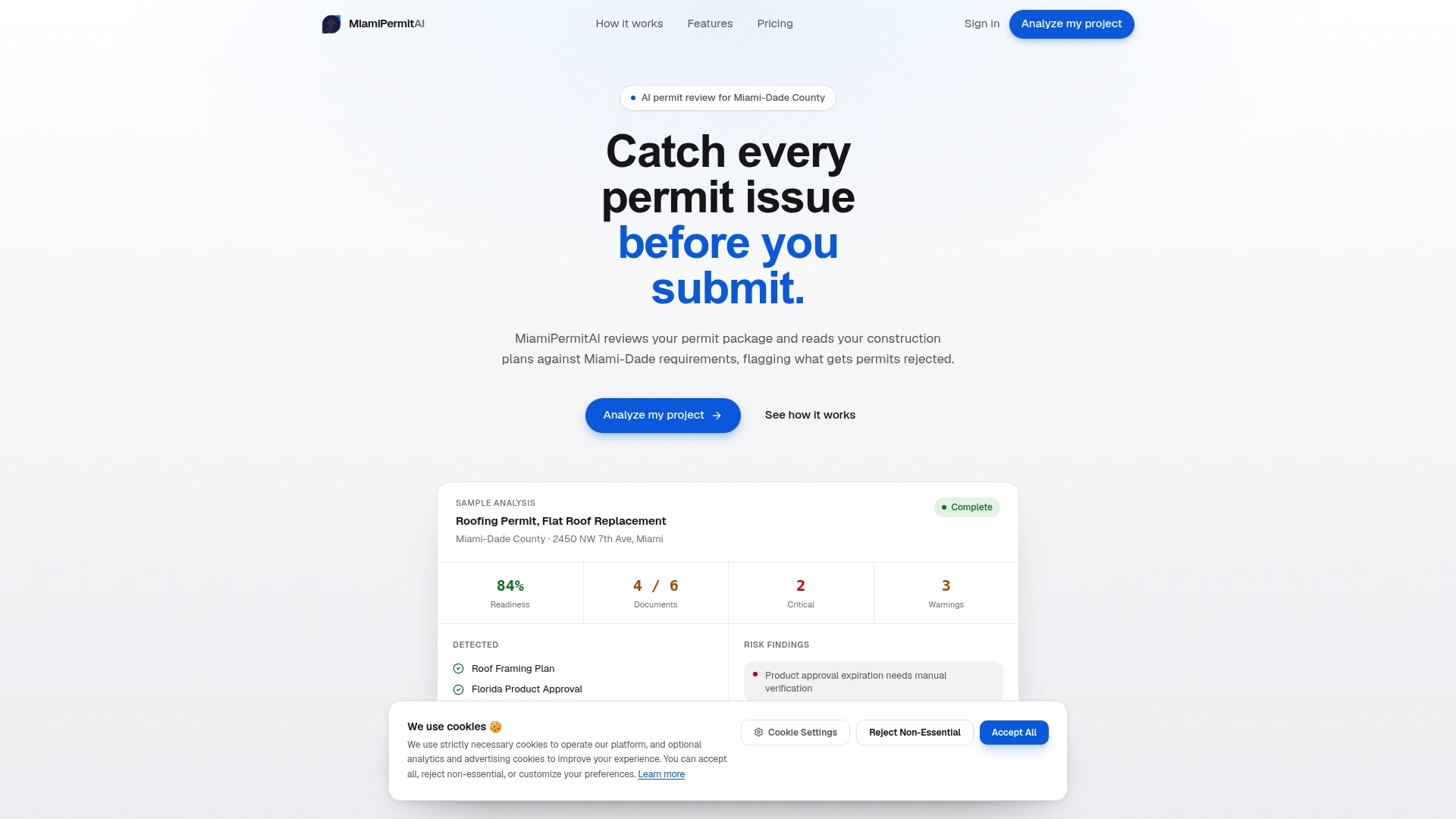
The platform checks your plans against Miami 21 zoning, FEMA flood zone requirements, folio property records, and Florida DBPR contractor license data. You get a readiness score, a clear list of what to fix, and plain-language guidance. After you submit to the county, Miamipermitai tracks your permit through approval and sends you status updates by email. Check your permit package before you submit and avoid the correction cycle entirely.
FAQ
What is the most common reason permits get rejected in Miami-Dade?
Incomplete or inaccurate application packages are the top cause. Missing signed and sealed plans, absent NOA documentation, or incorrect site plans trigger the majority of rejections before a reviewer reaches the technical review stage.
What file format does the Miami-Dade ePermits portal require?
The ePermits portal requires PDF 1.7 format at 24x36 inch sheet size with vector-embedded digital signatures from Florida-licensed professionals. Files in PDF 2.0 or at 11x17 inch size fail automated intake validation automatically.
How long before a Miami-Dade permit expires without an inspection?
A Miami-Dade permit expires if no inspection occurs within 180 days. Reactivating an expired permit often requires compliance with current codes, which may be stricter than those in effect when the original permit was issued.
What happens if a contractor changes mid-project without a permit transfer?
Switching contractors without formally transferring the permit creates a licensing mismatch in county records. The next inspection will fail automatically, and work must stop until the permit transfer is complete.
Do fence permits in Miami-Dade require a site plan?
Fence permits in Miami-Dade require a site plan showing property lines, fence location, and fence height, along with compliance with Miami 21 zoning setbacks and local fence height rules for the applicable zoning district.
Recommended
Is your permit package ready?
Run an AI readiness check against Miami-Dade requirements before you submit.
Start your first projectThis article is general guidance and not legal, engineering, or official county advice. Always verify requirements with Miami-Dade County before submitting a permit.